
 Abdul Moeed
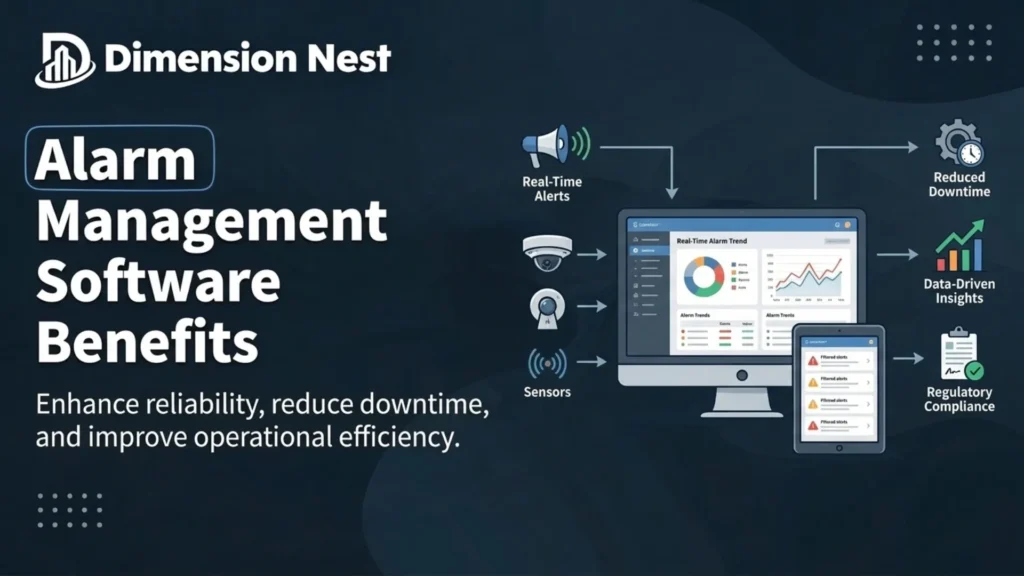
Connected businesses must manage security risks while keeping their daily operations efficient. Commercial buildings, industrial facilities, healthcare institutions, and residential complexes all depend on alarm systems. These systems detect threats, identify unusual activity, and support fast emergency responses. As facilities grow complex, managing many alarms through disconnected systems strains security teams.
Traditional monitoring relies on manual checks, separate control panels, and poor communication between departments. These limits delay responses, raise the chance of human error, and bury critical incidents. Organizations need a more organized way to monitor alerts and coordinate every response.
Modern digital solutions centralize alarm information, rank incidents, and widen visibility across facilities. Connected monitoring and structured response steps strengthen security and cut operational inefficiencies. They make faster, better-informed decisions backed by clearer incident information across sites.
Modern Alarm Management Explained
Alarm management covers monitoring alerts, judging their importance, and acting when incidents occur. Alarms may flag unauthorized access, equipment failures, environmental hazards, fire risks, or odd conditions. Without an organized process, security staff drown under repeated notifications and needless alerts. Teams miss important warnings while manually reviewing large volumes of raw information.
An integrated platform pulls alarm data into one centralized, authorized review environment. Authorized users review events, assess severity, and coordinate responses from that shared space. The platform may connect with access control, surveillance cameras, building tools, and industrial equipment. This setup gives a clearer picture of activity and steadier responses to threats.
1. Strengthening Security Through Centralized Monitoring
Centralized alarm monitoring gives security teams far better visibility across every site. Alerts from many buildings, devices, or departments hide the overall security situation.
A centralized platform merges relevant alarm information into one clear working interface. Security teams review incoming notifications, find the affected location, and flag urgent incidents.
A business running several facilities may receive alerts about unauthorized entry or tampering. Staff examine these events from a common dashboard instead of checking individual systems.
Centralized monitoring also keeps security procedures consistent across every team and location. Organizations set clear duties for reviewing alerts, escalating incidents, and documenting outcomes. Fewer information gaps help businesses spot suspicious activity and coordinate the right response.
2. Enabling Faster Incident Response
The gap between detecting a problem and acting often decides the final outcome. Delayed responses let unauthorized access continue or turn a small incident serious.
Alarm management tools cut delays by routing notifications to the right personnel quickly. Systems route alerts by location, severity, operating hours, or predefined escalation rules. An unresolved alarm pushes the system to notify another responsible employee or supervisor. This process cuts reliance on informal communication and keeps important events visible.
Access to incident histories and response instructions also sharpens each decision staff make. Personnel review relevant details first instead of hunting through scattered records under pressure. Technology never removes every delay, yet structured notification and escalation build steadier responses.
3. Improving Real-Time Monitoring and Situational Awareness
Real-time monitoring lets organizations watch developing events as they actually unfold live. Teams no longer rely only on periodic inspections or slow retrospective reports.
A modern platform displays incoming alerts, timestamps, device locations, and current incident statuses. Integrated equipment adds camera footage, access logs, or environmental readings tied to an alarm. This added context helps staff separate routine events from situations that need investigation.
An access control alert pairs with video footage and entry records for quick review. Staff judge whether the event shows authorized activity, a fault, or a breach. Real-time visibility matters most for organizations running large sites or many locations. Managers see activity across their operations without waiting for separate manual reports.
4. Reducing False Alarms and Alert Fatigue
Too many needless notifications weaken an alarm system and dull staff attention. Employees who keep meeting pointless alerts grow less attentive to later warnings. This problem, known as alert fatigue, weakens response quality and hides serious incidents.
Platforms fight this through configurable thresholds, event categorization, duplicate handling, and prioritization rules. These controls let teams focus on notifications most relevant to their responsibilities. Repeated notifications from the same sensor may merge into one grouped event. Lower priority warnings travel a different route from alarms that signal an immediate threat.
Organizations review alarm settings often so filtering never suppresses a genuine risk. Good alarm management balances fewer interruptions against real sensitivity to important events.
5. Increasing Operational Efficiency
Security teams spend long hours reviewing alerts, contacting colleagues, and documenting incidents. Manual processes leave employees little time for investigations and preventive security work.
Automation handles the repetitive tasks that drain hours from every security shift. A system records alarm details, assigns incidents, notifies employees, and updates event status. Centralized records also remove the need to gather information from scattered sources. Managers review incident histories and spot recurring problems without combining separate reports.
These gains lower administrative workloads and support smarter staffing decisions across the team. Stronger organization helps businesses that run security operations with limited staff resources. Employees rank attention by risk instead of treating every notification as urgent. Operational data later reveals ways to improve procedures and reduce recurring disruptions.
6. Supporting Compliance and Accurate Recordkeeping
Many organizations must keep records of incidents, safety events, equipment faults, and corrective actions. These records support internal audits, regulatory requirements, insurance reviews, or later investigations.
A centralized platform holds timestamps, event descriptions, response assignments, status changes, and resolution notes. Many products also add audit trails and integrated reporting tools for review. Consistent documentation shows how teams handled incidents and whether they followed procedures.
A facility manager reviewing repeated access violations examines past events for common patterns. That manager also documents the corrective measures introduced after each recurring problem. Accurate records also strengthen accountability across supervisors and frontline security staff daily. Supervisors check whether teams acknowledged, escalated, and resolved incidents by established policies. Organizations match retention settings, access permissions, and reporting features to their legal obligations.
7. Improving Coordination Between Security Teams
Good incident management depends on clear communication between every involved security group. An alarm may need security officers, maintenance staff, facility managers, and senior leaders.
Without a shared process, important details vanish during handovers or repeated updates. Different teams also work from outdated information about the same active incident. An integrated platform coordinates duties through one shared view of incident status.
A server room temperature alarm may pull in both security and technical staff. Security employees verify physical access, while facilities teams check equipment and environmental conditions. Clear assignments and documented updates stop duplicated effort and missed critical tasks.
A defined escalation structure carries equal weight for every serious security incident. Employees must know when to notify supervisors, call emergency services, or trigger procedures.
8. Enabling Data-Driven Security Decisions
Alarm records reveal recurring risks, system reliability, and real operational performance over time. Consistent analysis exposes problems that single incidents rarely make obvious to managers.
Useful indicators cover average alarm acknowledgment time and total incident resolution time. Managers also track false alarm frequency, repeated device faults, and resolution rates within set targets.
Frequent alarms from one sensor may signal misconfiguration, interference, or failing equipment. Investigating that pattern cuts needless notifications and improves the system’s overall reliability. Recurring delays at one site may signal thin staffing, unclear escalation, or weak training.
Managers use these findings to prioritize maintenance, sharpen procedures, and allocate resources better. Regular analysis turns alarm records into a working source for continuous improvement. Teams treat these records as a practical tool, not plain historical documentation.
9. Choosing the Right Alarm Management Solution
The right platform choice starts with a clear read of security needs and priorities. Organizations weigh their security requirements, existing equipment, and core daily operational priorities.
Compatibility carries real weight across the whole platform selection process for buyers. The solution should work with relevant alarm devices and supply useful incident context.
Ease of use matters as much for busy frontline security personnel daily. Staff need an interface that surfaces critical information fast during intense security moments.
Organizations judge notification options, escalation features, reporting, access controls, scalability, and mobile access. Data protection deserves weight too, since these platforms handle sensitive security information.
A reliable alarm management software solution should support established response procedures without adding needless complexity. Businesses check whether the platform solves their most important daily operational challenges. They also confirm that employees can work the system well under real conditions.
Pilot testing before full deployment exposes integration issues and sharpens notification rules. Testing also confirms that the system behaves as expected under realistic working conditions.
Conclusion
Good alarm management helps organizations improve security and respond fast to emerging incidents. Disconnected systems and manual procedures make alerts, personnel, and records hard to manage.
Centralized monitoring, automated notifications, structured escalation, and performance reporting answer these core challenges. Organizations gain clearer incident visibility, fewer interruptions, stronger collaboration, and better informed decisions.
Strong results also demand more than technology bought and installed across the sites. Accurate configuration, regular maintenance, employee training, and clear response procedures still carry the system. The right digital tools and strong security practices build a more responsive monitoring environment. Organizations protect critical assets and hold dependable operations as their needs keep changing.