
 Abdul Moeed
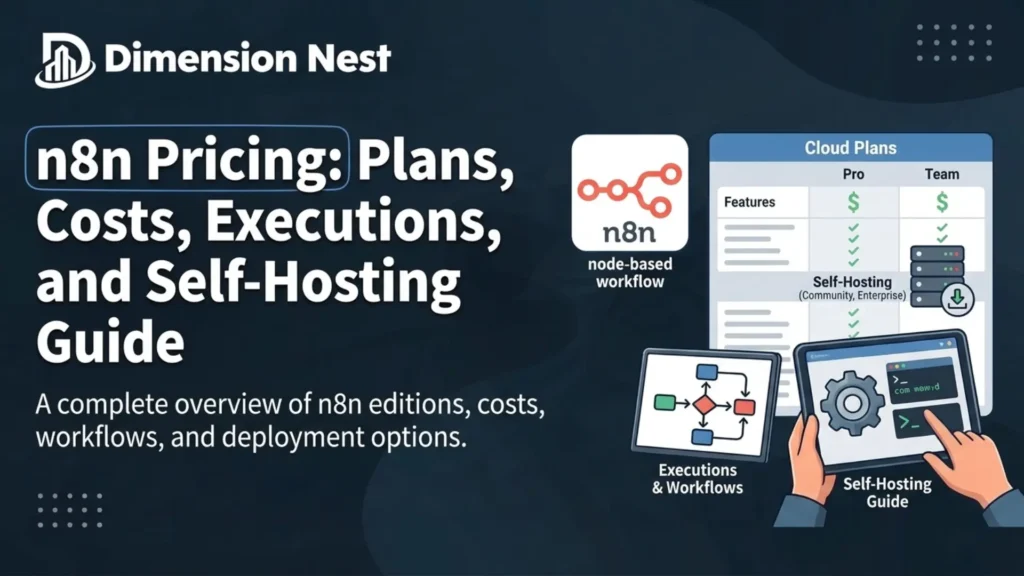
A small marketing team builds its first automation, and the finance lead soon asks about monthly cost. That question sits behind most searches for n8n pricing, and the answer surprises many buyers. The bill depends on how often workflows run, not on how many people log in.
n8n is a workflow automation platform that connects apps, APIs, and AI models through a visual editor. This guide covers every n8n plan, the execution model, the free Community Edition, and hidden costs. It also shows a method for estimating real monthly usage before any money changes hands. Readers will also see cloud hosting compared against self-hosting for different workloads.
Quick Answer: How Much Does n8n Cost?
n8n pricing starts at 20 EUR per month for the Starter cloud plan when billed annually. The Pro plan costs 50 EUR per month annually, and Business costs 667 EUR monthly. The Community Edition stays free for self-hosting, but server and maintenance costs still apply.
n8n Pricing at a Glance
The table below lists the official plans, annual prices, and included monthly workflow executions as of October 2026.
| Plan | Annual price per month | Monthly executions | Hosting |
|---|---|---|---|
| Community Edition | Free | Unlimited | Self hosted only |
| Starter | 20 EUR | 2,500 | Hosted by n8n |
| Pro | 50 EUR | 10,000 | Hosted by n8n |
| Business | 667 EUR | 40,000 | Self hosted only |
| Enterprise | Custom quote | Custom | Cloud or self hosted |
Most small teams land on Starter or Pro, while larger companies weigh Business against a custom Enterprise contract.
What Is n8n and How Does Its Pricing Work?
n8n is an automation tool that runs workflows made of connected steps called nodes. Each workflow starts with a trigger, such as a webhook, a schedule, or a new spreadsheet row.
The company behind n8n is based in Berlin, so the official pricing page lists every plan in euros. Buyers paying in dollars will see the final charge move slightly with exchange rates each billing cycle.
Execution Based Billing
n8n charges by monthly workflow executions, not by user seats or individual steps inside a workflow. All plans include unlimited users, unlimited workflows, and access to every integration node in the library.
This model differs from tools that bill per task or per operation inside each run. A workflow with twenty steps costs the same single execution as a workflow with two steps.
In simple words, n8n charges for each complete workflow run, no matter how many steps it contains.
What Counts as One Execution?
n8n defines an execution as one full run of a workflow from trigger to finish. The amount of data processed during that run does not change the count at all. This rule keeps monthly bills easier to predict for finance teams and founders.
Test runs inside the editor and manual debugging sessions usually do not count toward the production limit. Production executions come from active workflows that fire on schedules, webhooks, or other live triggers.
n8n Pricing Plans Explained
Each paid tier adds more executions, longer history, and stronger admin controls. The sections below break down what every plan includes and which teams fit each one.
Starter Plan
The Starter plan costs 20 EUR per month on annual billing and includes 2,500 workflow executions. It gives teams one shared project, five concurrent executions, and access to agents, MCP, and AI nodes.
Starter also includes 1,600 Assistant credits each month for the built in AI helper. Support comes through the community forum, and each execution can run for five minutes before it stops.
This plan suits solo builders testing automations or running a few light production workflows. Teams that schedule frequent jobs will hit the 2,500 execution ceiling within the first few weeks.
Pro Plan
The Pro plan costs 50 EUR per month on annual billing and includes 10,000 workflow executions. It adds three shared projects, admin roles, workflow history, and metric based evaluations for testing AI workflows.
Pro raises concurrency to as many as 50 executions, depending on the plan size a team selects. Assistant credits climb to as many as 9,600 per month, and execution runtime extends to 40 minutes.
Small teams running automations in production usually start here because the execution allowance gives real breathing room. Saved execution history also grows to 25,000 runs with 30 days of log retention.
Business Plan
The Business plan costs 667 EUR per month on annual billing and includes 40,000 workflow executions. Right now, n8n sells this plan for self hosted setups only, with a cloud waitlist open.
Business adds SSO and LDAP, six shared projects, multiple environments, Git version control, and queue mode. Queue mode lets teams spread work across several worker instances when traffic grows during busy periods.
n8n positions this plan for companies with fewer than 100 employees that need collaboration features. Support stays on the forum, because dedicated support with an SLA belongs to the Enterprise tier only.
Enterprise Plan
Enterprise pricing comes from a sales conversation, and the execution volume gets set inside a custom contract. Companies can choose hosting by n8n or run the license on their own servers.
This tier adds unlimited shared projects, more than 200 concurrent executions, log streaming, and external secret stores. It also brings dedicated support with an SLA and 365 days of insights data.
Large organisations with strict compliance rules or audit requirements tend to land on this plan. Procurement teams also gain invoice billing and sales assisted contracts during the buying process.
Start Up Plan Discount
n8n runs a Start Up program for companies with fewer than 20 employees. Qualifying companies receive 50 percent off the Business plan after n8n confirms their eligibility.
This discount cuts the Business plan cost roughly in half for early stage teams. Founders should apply before committing to a full price annual contract with the company.
Is n8n Free? The Community Edition Explained
The n8n Community Edition is free, open source software that teams install on their own servers. It runs through Docker or Node.js and places no execution cap on workflows.
The free edition lacks paid features such as SSO, Git version control, environments, and advanced permissions. Teams that need those controls later can apply a Business or Enterprise license key to the same instance.
Free software still carries running costs, because every self hosted setup needs a server, backups, and updates. Someone on the team also needs time to patch, monitor, and secure the installation each month.
n8n Cloud vs Self Hosted Costs
Cloud plans cost more per month but remove server work for the team. Self hosting costs less in fees but demands more labour from staff. The right choice depends on execution volume and the technical skills available inside the team.
| Factor | n8n Cloud | Self hosted Community |
|---|---|---|
| Monthly fee | 20 to 50 EUR | Free license |
| Server cost | Included | Paid separately |
| Execution cap | 2,500 to 10,000 | No cap |
| Updates and backups | Handled by n8n | Handled by your team |
| Data location | Frankfurt, Germany | Your chosen server |
Self hosting wins on cost at high volumes, but only when a skilled person already manages servers.
Teams with an it inventory tracking asset lifecycle process usually handle self hosting more smoothly. Those teams know how to log servers, plan upgrades, and retire old machines on schedule.
When Cloud Makes More Sense
Cloud hosting fits teams without a developer or system administrator on staff. In that setup, n8n handles updates, uptime, and security patches for every customer. Builders can then spend their working hours on workflows instead of servers.
Cloud also suits teams with moderate volume that rarely pass 10,000 executions per month. The predictable bill makes budgeting easier for small companies and agencies running client automations.
When Self Hosting Makes More Sense
Self hosting fits teams that run tens of thousands of executions every month. A modest virtual server often costs far less than the jump from Pro to Business pricing.
Companies with strict data residency rules also lean toward self hosting for full control. They decide where data lives, who accesses it, and how long logs stay on disk.
n8n Free Trial Explained
The n8n cloud trial lasts 14 days and requires no credit card for Starter or Pro. It gives new users Pro level features so they can test real workflows before paying anything.
Trial accounts receive 1,000 executions, five concurrent executions, and a 180 second execution timeout. They also get 800 Assistant credits plus 100 AI credits for testing AI nodes and agents.
Some features stay locked during the trial, including admin roles, named versions, and the public API. Teams that need those features should confirm their plan choice before building critical workflows around them.
The Business plan trial works differently and requires a credit card before access begins. It unlocks every Business feature for 14 days on a self hosted instance with a license key.
n8n Assistant Credits Explained
Assistant credits pay for the built in AI helper that writes and fixes workflows inside the editor. Each cloud plan includes a monthly allowance, and heavier requests consume more credits per use.
Starter includes 1,600 credits per month, while Pro includes either 4,000 or 9,600 credits. The exact Pro number depends on the plan size a team picks during checkout.
Credits refresh every month, and any unused balance disappears instead of rolling into the next cycle. Teams can buy extra credits, which only start draining after the included allowance runs out.
Self hosted users take a different route and connect their own AI provider key instead. That setup removes credit limits, but the team then pays the AI provider directly for usage.
Monthly vs Annual Billing
The company offers both monthly and annual billing for each of its cloud plans. Annual billing saves 17 percent compared with paying month to month across the same year.
That discount makes the Starter plan cost roughly 24 EUR on monthly billing instead of 20 EUR. Pro moves from 50 EUR on annual billing to roughly 60 EUR when paid monthly.
Monthly billing suits teams still testing whether automation fits their workflow over the first quarter. Annual billing makes sense once workflows run in production and usage stays steady across several months.
n8n Pricing vs Zapier and Make
Zapier and Make use different billing units, so direct price comparisons often mislead buyers. Zapier usually counts tasks for each action step, while Make counts operations for each module that runs.
| Tool | Billing unit | Effect on long workflows |
|---|---|---|
| n8n | Full workflow execution | Same cost for 2 or 20 steps |
| Zapier | Tasks per action step | Cost grows with each step |
| Make | Operations per module | Cost grows with each module |
Long, multi step workflows usually cost less on n8n because the whole run counts once.
A workflow with ten steps running 1,000 times uses 1,000 executions on n8n. The same workflow could consume about 10,000 tasks or operations on per step platforms.
Short workflows with one or two steps narrow that gap considerably between the three tools. Buyers should model their real workflows before assuming any platform will cost the least.
Which n8n Plan Fits Each Type of User?
Different users reach wildly different monthly execution totals, so one plan never fits every buyer. The table below matches common user types with the plan that usually fits their volume.
| User type | Typical monthly volume | Usual best fit |
|---|---|---|
| Hobbyist or learner | Under 1,000 runs | Community Edition |
| Solo freelancer | 1,000 to 2,500 runs | Starter |
| Small agency | 2,500 to 10,000 runs | Pro |
| Growing company | 10,000 to 40,000 runs | Business |
| Regulated enterprise | Above 40,000 runs | Enterprise |
Treat these ranges as starting points, then confirm the fit with a real execution estimate.
Hobbyists and Learners
People learning automation usually start with the free Community Edition on a laptop or small server. They avoid monthly fees while they practice building triggers, loops, and API calls inside the editor.
Freelancers and Solo Builders
Freelancers who run a handful of client automations often fit inside the Starter allowance each month. They gain hosting, updates, and AI nodes without managing any server or backup routine.
AI Agent Builders
Builders running chat agents should watch execution counts closely, because every message can trigger one run. A busy support bot can pass 10,000 executions in a single month without much warning.
Those builders usually choose Pro or self hosting, depending on traffic and the skills inside the team. They also budget separately for model provider fees, which n8n does not include in its plans.
Is n8n Worth the Price?
n8n usually delivers strong value for teams that build multi step workflows with branching logic. The whole run billing model rewards complex automations that would cost far more on per step tools.
The value drops for teams running simple two step automations at extremely high volume. In those cases, the price gap between n8n and per task tools becomes much smaller.
Technical teams gain the most, because they can self host, write custom code, and call any API. Teams without technical staff still benefit, though they should stay on cloud plans for reliability.
How n8n Pricing Changed in 2026
n8n adjusted its plans several times recently, and older blog posts often show outdated limits. Earlier plans capped the number of active workflows on cheaper tiers, which pushed many users toward upgrades.
The current pricing page lists unlimited active workflows on Starter, Pro, and Enterprise plans. Execution volume now acts as the main limit that separates one plan from the next.
Some community members pushed back on the move toward execution based billing in recent years. Their main worry centred on predictability for chat agents and other workflows with unpredictable traffic.
Do not rely on screenshots or prices from older articles when building a budget for next year. Check the official pricing page before signing any contract, because limits and credits can change again.
Hidden Costs to Watch
The headline price rarely tells the full story for any automation platform. Several extra costs can appear once workflows move from testing into daily production use.
Execution Overages
Business and Enterprise users who exceed their quota keep running, but overage charges may apply. For Business, the official page lists 4,000 EUR for each extra bucket of 300,000 executions.
Cloud Starter and Pro users face a harder ceiling once they use the monthly allowance. Teams in that position usually upgrade to the next tier before the month ends.
AI Model and API Fees
Workflows that call external AI models or paid APIs carry separate usage fees from those vendors. Since n8n bills only for executions, token costs from model providers land on separate invoices.
Assistant credits also run out after the monthly allowance, and unused credits do not roll over. Teams can buy extra credits, which then cover usage after the included balance runs out.
Server and Maintenance Time
Self hosted teams pay for servers, storage, backups, and monitoring tools outside of n8n. The largest cost often comes from staff hours spent on updates and troubleshooting failed upgrades.
A developer earning a mid level salary can cost more in one afternoon than a month of Pro. Teams should count those hours honestly before choosing self hosting purely to save on fees.
How to Estimate Your n8n Executions
A quick estimate prevents teams from picking a plan that runs out halfway through the month. The four steps below turn a list of workflows into a realistic monthly execution count.
Step 1: List Every Workflow and Its Trigger
Write down each planned workflow and note whether a schedule, webhook, or chat message triggers it. This list becomes the base for every calculation that follows in the estimate.
Step 2: Count Scheduled Runs
Multiply each schedule by the days in a month to get its monthly execution count. A daily schedule produces about 30 runs, while a five minute schedule produces close to 8,700 runs.
Step 3: Estimate Event Driven Runs
Estimate how often each webhook event happens per day, then multiply by 30 for the month. For chatbots, multiply weekly conversations by the average number of messages in each conversation.
Step 4: Add a Safety Buffer
Add the totals together, then add a 20 to 30 percent buffer for growth and retries. Compare the final figure with plan limits and pick the tier that leaves comfortable headroom.
Daily report: 30 runs
Webhook from forms: 40 per day x 30 = 1,200 runs
Chatbot: 100 conversations x 6 messages x 4 weeks = 2,400 runs
Total: 3,630 runs + 25% buffer = about 4,540 runs
Best fit: Pro plan (10,000 executions)
This sample setup outgrows Starter, so the Pro plan becomes the sensible starting tier for that team.
Real World Example: A Small Agency Picks a Plan
A five person agency automates lead collection, client reports, and Slack alerts for twelve clients. Their lead collection webhook fires about 60 times each day across all client forms combined.
Weekly client reports add 48 executions per month, and hourly Slack checks add roughly 720 more runs. Their total lands near 2,600 executions before any buffer, which already passes the Starter limit.
The agency chooses Pro at 50 EUR per month on annual billing for comfortable headroom. They also gain admin roles, three shared projects, and workflow history for client handovers.
Benefits of n8n Pricing
The execution model offers several clear advantages over per task billing for many automation teams:
- Teams pay once for each full workflow run, no matter how many steps the workflow contains inside.
- Every plan includes unlimited users, so growing teams avoid paying extra seat fees for each new member.
- The free Community Edition lets technical teams test and run automations without paying any license fee.
- Long AI workflows with many nodes stay affordable because extra steps do not raise the per execution cost.
- Annual billing cuts the cloud plan price by 17 percent for teams with steady and predictable usage.
Tips for Lowering Your n8n Bill
A few habits help teams stretch their execution allowance further each month without losing reliability:
- Combine several small scheduled workflows into one workflow that handles multiple tasks during a single run.
- Replace frequent polling schedules with webhooks so workflows run only when a real event actually happens.
- Add filter nodes near the trigger so irrelevant events stop early and avoid wasting later processing time.
- Review the Insights dashboard monthly and pause workflows that no longer deliver value to the business.
- Apply for the Start Up discount when the company has fewer than 20 employees on staff.
Best Practices for Managing n8n Costs
Good habits keep execution counts steady and stop surprise invoices from reaching the finance team. The practices below work on every plan, from Starter through Enterprise contracts.
Name every workflow clearly and record its owner, trigger, and expected monthly run count. This record makes cost reviews faster when the team grows or a new manager joins.
Set a monthly review on the calendar and compare real execution totals against the plan allowance. Catching a runaway schedule early saves an emergency upgrade near the end of the billing cycle.
Separate testing workflows from production workflows so experiments never fire live triggers by accident. A staging project keeps practice runs away from the production execution count.
Common Mistakes When Choosing an n8n Plan
Many buyers repeat the same errors when they first compare n8n plans and price points. The mistakes below cause most surprise upgrades and wasted budget in the first year.
1. Ignoring Schedule Frequency
A workflow that checks an inbox every minute creates more than 43,000 executions each month. Builders often set short intervals during testing and forget to change them before going live.
2. Treating Self Hosting as Free
The Community Edition license costs nothing, but servers and staff time still cost real money. Teams that skip this math often spend more than a Pro subscription on maintenance alone.
3. Picking a Plan Without a Buffer
Teams that choose a plan matching their exact current usage leave no room for growth. A single new client or campaign can then push them over the limit mid month.
4. Forgetting Currency Changes
n8n lists prices in euros, so dollar based buyers see small changes on each invoice. Finance teams should budget a small margin for exchange rate movement across the year.
5. Comparing Prices Without Matching Billing Units
Comparing a task based price list with an execution based plan produces misleading results. Buyers should convert real workflows into each tool’s billing unit before deciding.
n8n Plan Selection Checklist
Run through this checklist before paying for any n8n plan or signing an annual contract:
- List every planned workflow with its trigger type and expected frequency over a full month.
- Calculate total monthly executions and add a buffer of at least 20 percent for growth.
- Decide whether the team has the skills and hours to manage a self hosted server safely.
- Check whether SSO, Git version control, or environments are required for compliance or audits.
- Confirm whether the company qualifies for the Start Up discount on the Business plan.
- Compare monthly and annual billing totals before committing to a full twelve month contract.
Frequently Asked Questions
How much does n8n cost per month?
n8n pricing starts at 20 EUR per month for Starter with annual billing on the cloud. Pro costs 50 EUR per month annually, and Business costs 667 EUR per month for self hosting.
Is n8n free to use?
The n8n Community Edition is free when a team installs it on its own server. Cloud plans require payment after the trial, and self hosting still carries server costs.
Does n8n offer a free trial?
n8n offers a free cloud trial that includes 1,000 executions and Pro level features. No credit card is required for the standard cloud trial on Starter or Pro.
What is an execution in n8n pricing?
An execution in n8n pricing means one complete run of a workflow from trigger to finish. The number of steps inside that workflow does not change the execution count.
Does n8n charge per user?
No, every n8n plan includes unlimited users, so teams can add members without extra seat fees. Instead, n8n pricing scales only with the number of monthly workflow executions a team runs.
Is the Business plan available on n8n Cloud?
The Business plan currently runs only on self hosted n8n according to the official pricing page. The company keeps a waitlist open for teams wanting a hosted Business plan in future.
What happens if I exceed my execution limit?
Business and Enterprise workflows keep running, but overage charges may apply after the quota ends. Cloud Starter and Pro users usually need to upgrade once they reach their monthly limit.
Is n8n cheaper than Zapier?
n8n is usually cheaper than Zapier for long workflows because n8n counts the whole run once. Short workflows with one or two steps may cost a similar amount on both platforms.
Where does n8n store cloud data?
n8n stores data for hosted plans on servers in Frankfurt, Germany, inside the European Union. Self hosted teams store data wherever they choose to run their own n8n instance.
Does n8n offer a discount for startups?
n8n offers a Start Up plan for companies with fewer than 20 employees on the payroll. Eligible startups receive 50 percent off the Business plan after n8n reviews their application.
Key Takeaways
- n8n pricing uses monthly workflow executions as the billing unit instead of user seats or steps.
- The Starter plan costs 20 EUR per month annually and includes 2,500 workflow executions.
- The Pro plan costs 50 EUR per month annually and raises the allowance to 10,000 executions.
- The Business plan costs 667 EUR per month annually and currently runs on self hosted setups only.
- Enterprise pricing depends on a custom contract that sets execution volume, support, and hosting choice.
- The Community Edition stays free, but server costs and maintenance hours still apply to every team.
- Annual billing saves 17 percent compared with paying monthly for the same cloud plan.
- Long workflows usually cost less on n8n than on tools that bill for every single step.
- Teams should estimate executions with a buffer before picking a plan to avoid surprise upgrades.
Final Thoughts
n8n pricing rewards teams that build long, complex workflows, because every run counts as one execution. Starter fits light testing, Pro fits small production teams, and Business or Enterprise fits larger companies.
The cheapest option depends on volume, technical skills, and compliance needs, not the headline price alone. Estimate executions honestly, add a buffer, and compare cloud fees against real self hosting labour.
Explore more technology guides, software breakdowns, and practical explainers on Dimension Nest today.