
 Abdul Moeed
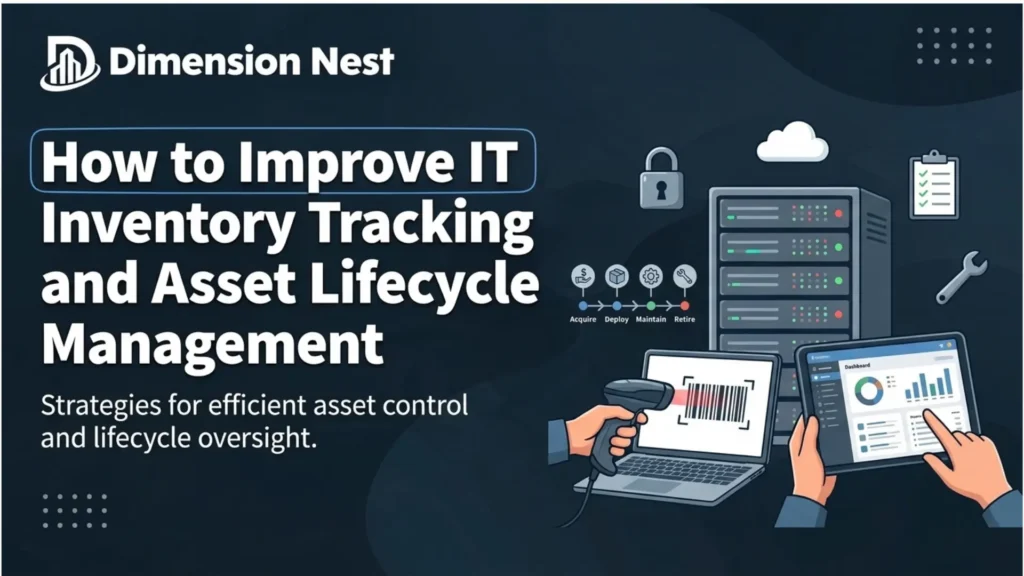
Managing IT equipment efficiently is an ongoing challenge for businesses of every size. As organizations grow, tracking laptops, desktops, monitors, mobile devices, and software subscriptions becomes more complicated. IT teams need to know what equipment they own, who is using it, where it is located, and when it needs maintenance, replacement, or retirement.
Relying on spreadsheets and disconnected records can make this process time-consuming. Information becomes outdated, equipment assignments are overlooked, and unused software subscriptions may continue generating expenses.
A centralized IT inventory management approach helps businesses organize these responsibilities in one place. With tools such as BlueTally, organizations can maintain clearer asset records, simplify equipment tracking, and improve visibility into their technology resources.
Why Businesses Need a Centralized IT Inventory System
An IT inventory is more than a list of purchased devices. It provides a structured overview of the hardware and software an organization uses to support its daily operations.
Without a reliable tracking process, IT administrators may struggle to locate equipment, confirm employee assignments, identify available devices, or prepare accurate inventory reports. These challenges become more noticeable when employees work remotely or equipment moves between offices.
A centralized inventory helps address these issues by keeping important asset information organized and accessible to authorized team members.
Businesses can use a dedicated platform to:
- Maintain records of company-owned IT equipment.
- Track device assignments and locations.
- Monitor asset status throughout its lifecycle.
- Organize software license and subscription information.
- Identify missing, unassigned, or outdated inventory records.
- Support audits, purchasing decisions, and equipment planning.
BlueTally provides an IT asset management solution designed to help businesses organize their hardware inventory, manage assignments, and maintain visibility into their IT assets.
Keep Hardware Records Accurate and Up to Date
Accurate hardware records are the foundation of effective IT asset management. Every device should have a record containing enough information for administrators to identify it and understand its current status.
Depending on the organization’s needs, these records may include the asset name, manufacturer, model, serial number, purchase date, assigned employee, department, location, and warranty details.
Consistent documentation makes it easier to distinguish between similar devices and determine which equipment is available for deployment. It also helps IT teams investigate discrepancies when physical equipment does not match inventory records.
However, inventory accuracy requires ongoing attention. Devices are regularly purchased, reassigned, repaired, relocated, and retired. If these changes are not recorded promptly, the inventory gradually becomes less reliable.
Using BlueTally to organize asset information can help IT teams maintain a clearer view of equipment and its assignments. Establishing standard procedures for updating records after every significant asset change further improves data quality.
Make Device Assignments Easier to Manage
Knowing who is responsible for each device is essential for maintaining accountability. When equipment is assigned without proper documentation, businesses may have difficulty locating devices during audits, internal transfers, or employee departures.
A structured assignment process should record which employee or department is using each asset, when the assignment begins, and when the equipment is returned or transferred.
This information becomes especially valuable for organizations with distributed teams. Employees may work from different offices or home locations, making it harder to maintain visibility through informal records.
BlueTally helps businesses organize equipment assignments and track the relationship between assets and their users. Maintaining these records can simplify routine administrative tasks and help IT teams identify equipment that needs to be recovered, reassigned, or reviewed.
Improve IT Asset Lifecycle Management
Every IT asset passes through several stages, from procurement and deployment to maintenance, reassignment, and retirement. Managing these stages consistently helps organizations maintain reliable records and plan equipment usage more effectively.
1. Procurement and Registration
When a new device arrives, its essential information should be added to the inventory. Recording purchase details, identifiers, and warranty information at this stage creates a starting point for future tracking.
Before ordering additional equipment, IT teams can also review existing inventory to determine whether suitable devices are already available.
2. Deployment and Assignment
Before a device is issued, administrators should confirm its condition, record its assignment, and update its location. This creates a documented connection between the organization, the asset, and its current user.
3. Maintenance and Monitoring
During regular use, devices may require repairs, warranty claims, upgrades, or replacement planning. Keeping asset information current helps administrators understand which equipment requires attention.
4. Transfers and Reassignment
When employees change roles or move between departments, equipment records should reflect those changes. Timely updates help prevent outdated assignments and improve inventory accuracy.
5. Retirement and Disposal
When a device reaches the end of its useful life, its status should be updated and its retirement documented. Organizations should also follow appropriate procedures for data sanitization, secure disposal, and recycling.
By maintaining consistent records at every stage, businesses can establish a more dependable asset management process. BlueTally can support this process by providing a centralized way to organize asset information and track changes.
Manage Software Licenses and Reduce Unnecessary Spending
Hardware is only one part of an organization’s technology inventory. Software licenses and recurring subscriptions also require careful management.
Businesses often use applications for communication, collaboration, cybersecurity, accounting, project management, and other operational needs. As teams change, some employees may no longer need particular applications, while new employees may require access to existing licenses.
Without regular reviews, organizations can lose track of assigned licenses, renewal dates, and subscriptions that are no longer required.
An organized software inventory should document application names, license quantities, assigned users, subscription periods, and renewal dates where applicable.
IT administrators can review these records to identify unused licenses, evaluate upcoming renewals, and determine whether existing subscriptions still meet business requirements.
BlueTally supports software license tracking alongside hardware asset management, helping organizations keep relevant inventory information organized. Businesses should still verify software usage, contractual terms, and renewal conditions before reallocating licenses or cancelling subscriptions.
Simplify Employee Onboarding and Offboarding
Employee lifecycle changes often create additional work for IT departments. New employees need appropriate equipment, existing employees may require different devices, and departing employees must return company-owned assets.
A documented onboarding process helps ensure that each issued device is recorded against the correct employee. This reduces the likelihood of equipment being distributed without a clear assignment.
During internal transfers, administrators should review the employee’s existing equipment and update the inventory when devices or responsibilities change.
Offboarding requires particular attention. IT teams need to identify assigned assets, coordinate their return, and update records after the equipment has been received. Returned devices may then be inspected, repaired, reassigned, or retired.
For remote and hybrid teams, these procedures may involve shipping equipment between locations and coordinating returns without an in-person handover.
Using a centralized asset inventory helps administrators determine which devices are associated with departing employees and which assets still require follow-up. BlueTally can help maintain this visibility by keeping equipment assignments and asset records organized.
Use Inventory Reports to Make Better IT Decisions
Reliable inventory data helps organizations make informed decisions about purchasing, maintenance, replacement, and software expenditure.
For example, IT teams can review equipment that is approaching the end of its expected service life, identify devices that remain unassigned, and assess whether existing hardware can meet upcoming requirements.
Software inventory reviews can help teams prepare for subscription renewals and investigate licenses that may no longer be necessary.
Useful inventory indicators include:
- Inventory accuracy: How closely recorded assets match the equipment actually owned and used.
- Assignment completeness: The proportion of relevant assets with current ownership or user information.
- Unassigned equipment: Devices available for reuse or requiring further investigation.
- Upcoming renewals: Software subscriptions that need review before renewal.
- Asset lifecycle status: Equipment that is active, under maintenance, available for reassignment, or retired.
- Record completeness: Assets with missing identifiers or other essential information.
BlueTally can help centralize asset information for easier review and reporting. Organizations can use this information to improve purchasing decisions, reduce administrative effort, and develop more consistent inventory procedures.
Strengthen Accountability Through Better Asset Visibility
An accurate IT inventory also contributes to better operational security. Organizations need to understand which devices they own, who uses them, and whether equipment remains within their established management processes.
Missing or outdated records can make it harder to investigate lost devices, identify unsupported hardware, or confirm that equipment has been returned when an employee leaves.
Asset management should therefore work alongside endpoint security, patch management, encryption, access controls, and other security measures. When equipment is lost, stolen, transferred, or retired, its inventory status should be updated as part of the organization’s established response process.
Access to inventory information should also be controlled according to job responsibilities. Limiting administrative permissions helps ensure that users can access only the information and functions they need.
A centralized inventory can support internal reviews and evidence gathering, although it does not replace the technical controls and policies required to meet specific security or compliance obligations.
Choosing an IT Asset Management Tool That Fits Your Workflow
The right asset management platform should fit the organization’s size, inventory requirements, and existing administrative processes.
Before selecting a solution, businesses should consider whether it supports their hardware and software inventory needs, provides useful assignment records, and offers the reporting or integrations required by their IT environment.
Ease of use is equally important. A system that is difficult to maintain may eventually contain incomplete records, regardless of how many features it offers.
Organizations should evaluate factors such as:
- Hardware and software inventory capabilities.
- Asset assignment and lifecycle tracking.
- Data import and available integrations.
- Reporting and inventory verification.
- User permissions and access management.
- Implementation effort and ongoing maintenance.
- Pricing and scalability as requirements change.
Testing real-world workflows can help businesses understand whether a platform meets their needs. Useful scenarios include registering a new laptop, assigning it to an employee, transferring it to another department, reviewing software licenses, and recording the retirement of an old device.
Businesses looking for a dedicated inventory management solution can explore bluetally.com to learn more about its IT asset tracking and software license management capabilities.
Conclusion
Effective IT inventory management requires more than maintaining a spreadsheet of company equipment. Organizations need accurate asset records, clear assignment procedures, consistent lifecycle documentation, and a reliable way to review both hardware and software resources.