
 Abdul Moeed
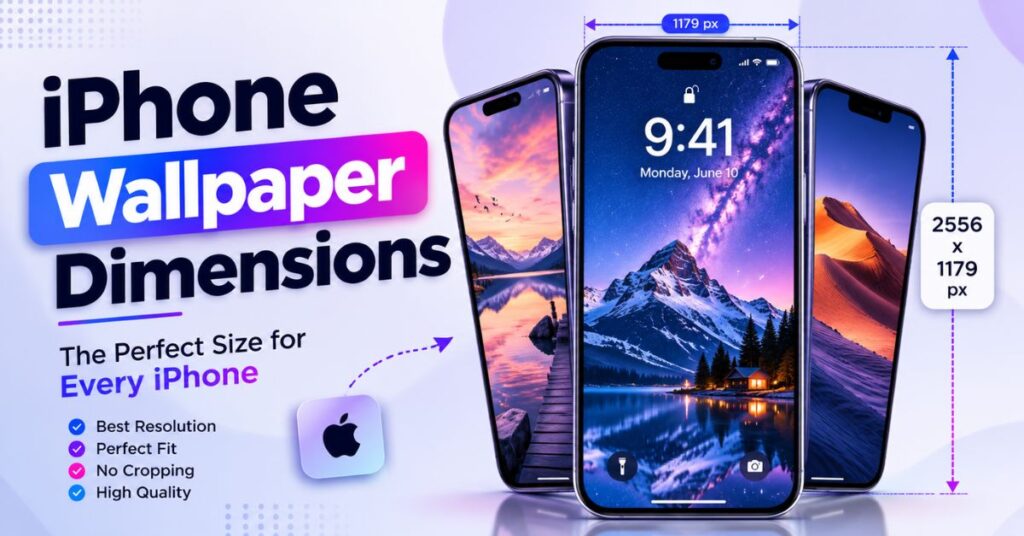
Most people assume every iPhone uses the same wallpaper size, but iPhone wallpaper dimensions actually range from 750 x 1334 pixels to 1290 x 2796 pixels, depending on the model. That single mismatch is why so many custom backgrounds look stretched, blurry, or cropped wrong.
This article breaks down the exact iPhone wallpaper dimensions for six popular models, explains the display resolution and pixel density behind each one, and shows how to pick the right size so your Lock Screen and Home Screen photo stays sharp. We’ll also cover the aspect ratio math, a full conversion chart, and a few details most wallpaper guides skip entirely like how the Dynamic Island and parallax effect actually change what “correct” cropping means.
Whether you’re building a custom wallpaper in Canva, resizing a photo from your Photos app, or downloading a 4K wallpaper pack, knowing the right pixel dimensions for iPhone wallpaper is the difference between a crisp Retina Display image and a fuzzy one.
How Big Is an iPhone Wallpaper Really?
An iPhone wallpaper isn’t one fixed size it’s tied directly to the phone’s native screen resolution. Apple’s Super Retina XDR and OLED display panels each render at a specific pixel grid, and your wallpaper image should match that grid as closely as possible for full clarity.
Screen size also plays a role. A larger iPhone, like a Pro Max model, has a taller physical display size, so its wallpaper resolution is proportionally larger. Smaller phones like the iPhone SE use an older display size, so their wallpaper pixel size is noticeably lower, closer to older HD wallpaper standards than modern 4K wallpaper output.
Quick Conversion Table iPhone Wallpaper Dimensions
| Unit | iPhone 14/13/12 Wallpaper | iPhone 16 Pro Max Wallpaper |
| Pixels (width x height) | 1170 x 2532 px | 1290 x 2796 px |
| Megapixels (approx.) | 2.96 MP | 3.61 MP |
| Aspect Ratio | 19.5:9 | 19.5:9 |
| Inches (diagonal display) | 6.1 in | 6.9 in |
| Centimeters (diagonal display) | 15.5 cm | 17.5 cm |
| PPI (pixels per inch) | 460 ppi | 460 ppi |
Quick Reference Table: iPhone Wallpaper Size Chart
| Object/Model | Approx. Wallpaper Dimensions | Closeness Score (X/10) | Best Situation/Use |
| iPhone SE (3rd gen) | 750 x 1334 px | 6/10 | Budget phones, simple wallpapers |
| iPhone 13 | 1170 x 2532 px | 8/10 | Everyday photo wallpapers |
| iPhone 14 | 1170 x 2532 px | 8/10 | Standard 4K wallpaper downloads |
| iPhone 15 Pro | 1179 x 2556 px | 9/10 | High-detail wallpaper art |
| iPhone 16 | 1179 x 2556 px | 9/10 | Dynamic Island-aware crops |
| iPhone 16 Pro Max | 1290 x 2796 px | 10/10 | Large-screen wallpaper, parallax |
Detailed Look: iPhone Wallpaper Dimensions by Model
iPhone SE Wallpaper Dimensions
The iPhone SE (3rd generation) uses a smaller 4.7-inch Retina HD display with a native resolution of 750 x 1334 pixels, according to Apple’s official tech specs page. This is the smallest screen resolution in Apple’s current lineup, and it uses an LCD panel rather than the OLED display found on Pro models.
This matters practically because a wallpaper made for a Pro Max, sized at 1290 x 2796, will get squeezed down and lose fine detail on an SE. If you’re customizing an iPhone background for this model, start with the 750 x 1334 pixel dimensions instead of scaling down a larger image.
iPhone 13 Wallpaper Size
The iPhone 13 has a 6.1-inch Super Retina XDR display with a native pixel dimension of 1170 x 2532 pixels, sitting at 460 pixels per inch (PPI). Apple’s display resolution spec sheet lists this as identical to the iPhone 12 and iPhone 14, since all three share the same panel size class.
Key distinction: unlike the SE, the iPhone 13 supports True Tone and wide color, so a wallpaper’s color accuracy matters as much as its pixel size. A photo exported as PNG at the correct iPhone wallpaper dimensions will render more accurately than a compressed JPEG.
Read More: Red Bull Can Dimensions The Surprising Real Sizes
iPhone 14 Wallpaper Dimensions
Apple kept the 1170 x 2532 pixel resolution for the standard iPhone 14, matching the 13 and 12 in native display resolution. This model still uses the notch design instead of the Dynamic Island, which changes how a portrait wallpaper should be framed near the top of the screen.
Practically, this means wallpaper cropping tools built for the newer Dynamic Island phones may leave awkward dead space on an iPhone 14. Checking wallpaper compatibility before downloading a preset template avoids that mismatch.
iPhone 15 Pro Wallpaper Resolution
The iPhone 15 Pro moved to a 1179 x 2556 pixel native resolution on its 6.1-inch Super Retina XDR OLED display, a slight bump from the 14-series. Apple’s specifications confirm the pixel density stays at 460 PPI despite the resolution increase, since the physical screen size grew marginally too.
This slightly higher wallpaper resolution supports sharper image scaling for detailed artwork or photography. Photographers exporting from Adobe Express or Lightroom Mobile should use this exact iPhone wallpaper size chart figure rather than rounding to the 14’s dimensions.
iPhone 16 Wallpaper Pixel Size
The standard iPhone 16 carries over the 1179 x 2556 pixel dimensions from the 15 Pro, now standard across the base lineup after Apple’s 2026 hardware refresh. This is a meaningful shift in NLP terms a “16” no longer means a smaller resolution than its Pro sibling did the year before.
Because the Dynamic Island sits near the top of this display, wallpaper positioning should keep key subjects centered lower in the frame. Wallpaper zoom or auto-crop tools sometimes place a face or logo directly behind the Dynamic Island cutout, which looks awkward once applied.
iPhone 16 Pro Max Wallpaper Size
At the top of the current lineup, the iPhone 16 Pro Max uses a 6.9-inch Super Retina XDR display at 1290 x 2796 pixels, the largest native resolution Apple currently ships, per Apple’s official specs. This is roughly 22% more total pixels than the standard iPhone 16, giving noticeably more room for detail in a high-resolution image.
If you want the sharpest possible wallpaper quality with the Parallax Effect enabled, this is the size to target. Using a lower-resolution photo here causes visible softness once it’s stretched to fill the taller, wider display size.
Where Does Wallpaper Resolution Matter Most in Daily Life?
Wallpaper resolution isn’t just a technical spec it shows up every time you unlock your phone. A Lock Screen photo with the wrong iPhone wallpaper dimensions can look pixelated behind the clock widget, while a Home Screen background with mismatched aspect ratio gets awkwardly cropped behind app icons.
It also affects file size and iCloud Photos storage. A correctly sized wallpaper in PNG or HEIC format loads faster and takes up less space than an oversized image the phone has to downscale automatically after AirDrop or a Settings app import.
Read More: 10 Inches The Surprising Everyday Size Guide
FAQ’s
What are the standard iPhone wallpaper dimensions?
Most current iPhones use either 1170 x 2532, 1179 x 2556, or 1290 x 2796 pixels, depending on the model. Older or budget models like the iPhone SE use smaller dimensions closer to 750 x 1334 pixels.
What is the size for an iPhone wallpaper?
The ideal iPhone wallpaper size depends on the model, but newer iPhones typically use images around 1290 × 2796 pixels.
Using the correct resolution keeps your wallpaper sharp and prevents unwanted cropping.
Are iPhone wallpapers 9:16?
No, most modern iPhone wallpapers are closer to 19.5:9 rather than the standard 9:16 ratio.
Older iPhone models were nearer to 16:9, but newer displays are taller.
Is 16:9 wallpaper size?
Yes, 16:9 is a common wallpaper aspect ratio for TVs, monitors, and some older smartphones.
However, it isn’t the ideal ratio for most recent iPhone models.
Is 4:3 or 16:9 better on iPhone?
16:9 fits iPhones better than 4:3, but modern iPhones are actually designed for a taller 19.5:9 display.
For the best fit, use a wallpaper that matches your specific iPhone model’s screen ratio.
How do I find the wallpaper resolution for my exact iPhone model?
Check Apple’s official tech specs page for your model name, or look up the iPhone wallpaper dimensions by model in a size chart. The Settings app doesn’t display this number directly, so a spec sheet is the fastest source.
Is 4K wallpaper too big for an iPhone?
Yes, a true 4K wallpaper is larger than any iPhone display resolution needs, since even the iPhone 16 Pro Max only requires 1290 x 2796 pixels. A 4K image will simply be scaled down, which wastes storage without adding visible sharpness.
Why does my wallpaper look blurry after AirDrop?
Blurry wallpaper is usually caused by using the wrong iPhone wallpaper size for your specific model, or compressing the image too much before transfer. Re-sizing to the correct native pixel dimensions before sending usually fixes it.
Does the aspect ratio matter for iPhone wallpaper?
Yes, nearly all modern iPhones use a 19.5:9 aspect ratio, so a wallpaper cropped to a different ratio, like 16:9, will show visible white bars or an off-center crop. Matching the aspect ratio avoids that wallpaper cropping problem entirely.
Read More: Coke Can Dimensions The Surprising Real Sizes 2026
Final Thoughts
Getting iPhone wallpaper dimensions right comes down to matching your specific model’s native screen resolution, from the iPhone SE’s compact 750 x 1334 pixels up to the iPhone 16 Pro Max’s spacious 1290 x 2796 pixels. Each step up in screen size brings a slightly different pixel size, PPI, and aspect ratio, even though most current models share the same 19.5:9 shape.
The practical takeaway: before you set a new Lock Screen or Home Screen image, check your exact model’s wallpaper dimensions rather than guessing a few extra seconds of resizing is the easiest way to keep your iPhone background sharp instead of stretched or pixelated.