
 Abdul Moeed
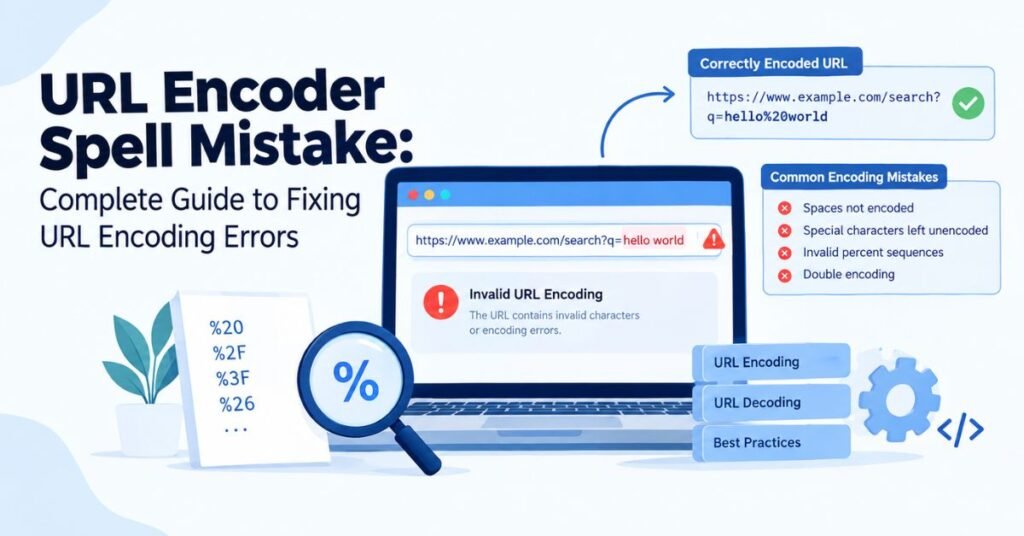
A broken link is annoying. A failed login is worse. Both often trace back to one small thing: a URL encoding mistake. Many people search for “url encoder spell mistake” or “url encoder spellmistake” when this happens. The name sounds like a typo problem. It is not. It is almost always an encoded URL that went wrong somewhere between the browser and the server.
This guide explains how URL encoding works. It shows the most common URL encoding mistakes. It also shows how to fix invalid URL encoding step by step. You will see real examples, simple tables, and code samples in five languages. By the end, you will know how to spot a malformed URL, fix it, and stop it from happening again.
What Is a URL Encoder Spell Mistake?
A “URL encoder spell mistake” is not a spelling error at all. It is a search phrase people use when a URL encoder produces the wrong output. The real problem is usually one of these: a missing percent sign, a broken percent-encoded character, a double URL encoding pass, or a mismatched character set. Each of these turns a working link into a broken URL.
Here is a simple case. The text “Hello World” should become Hello%20World once encoded. That is correct percent encoding. But if the encoder skips a digit, you get Hello%2World. This is an invalid percent sequence. Browsers and servers cannot read it correctly. This kind of error often shows up when a developer builds a request URL by hand instead of using a real URL encoder.
Read More: CNLawBlog 2026 Review: Is It a Trusted Legal Information Source?
Understanding URL Encoding and How It Works
URL encoding, also called percent encoding, is a way to make text safe to send inside a URL. Some characters have special jobs inside URL components, like the question mark or the ampersand. If you leave them as they are, they confuse the URL parser. So the browser swaps them for a hexadecimal value starting with a percent sign.
Think of it like sending a fragile gift in the mail. You wrap it first. The gift does not change. It just becomes safe to move. That is what URI encoding does for text. It keeps the meaning the same, but it makes the string URL-safe. Once the data reaches the server, it gets unwrapped again through URL decoding.
How URL Encoding Converts Characters
The process is short. You type something into a form. Your browser runs character conversion on it. It turns unsafe characters into percent-encoded characters. Then it sends the HTTP request to the server. The server reads the request, decodes it, and passes it to the app.
Here is the flow written out plainly. User input goes in. The browser applies URL character encoding. The result becomes part of the request URL. The server receives it. The server decodes it back to normal text. The app then uses the clean, decoded URL value. This happens in less than a second, every time you click a link or submit a form.
Common URL Encoding Characters and Their Values
Some characters always need converting. The table below shows the most common ones.
| Character | Encoded Value | Type |
| Space | %20 | Reserved |
| ! | %21 | Reserved |
| # | %23 | Reserved |
| $ | %24 | Reserved |
| & | %26 | Reserved |
| + | %2B | Reserved |
| / | %2F | Reserved |
| : | %3A | Reserved |
| = | %3D | Reserved |
| ? | %3F | Reserved |
Letters, numbers, and a few symbols like -, _, ., and ~ are unreserved characters. They do not need encoding. Reserved characters, on the other hand, carry structural meaning inside a URL. Mixing these two groups up is one of the fastest ways to create URL encoding problems.
The Role of UTF-8 in URL Encoding
UTF-8 encoding is the standard most of the web uses today. It turns letters, symbols, and even emoji into bytes. Those bytes then get turned into percent-encoded characters. This two-step process is called UTF-8 URL encoding, and it is why modern browsers can handle almost any language inside a URL.
Older systems sometimes used other character sets, like Latin-1. When one part of a system expects UTF-8 and another part does not, you get broken text. This is one of the quiet root causes behind many strange URL encoding errors that seem to appear from nowhere.
URL Encoding vs. URL Decoding

URL encoding and URL decoding are opposite steps in the same process. Encoding happens before a request leaves the browser. It turns normal text into a safe format. Decoding happens after the server receives the request. It turns the safe format back into normal, readable text.
Here is a simple comparison.
| Process | What It Does | When It Happens |
| URL encoding | Converts text into percent-encoded format | Before sending the request |
| URL decoding | Converts encoded text back to normal | After receiving the request |
A name like John%20Smith is the encoded form. Once decoded, it reads John Smith. A “url decoder spellmistake” usually happens when data gets decoded twice, or decoded before it gets checked. This mistake often causes strange characters to appear where normal text should be.
Common URL Encoding Mistakes
Most URL encoding mistakes repeat across different websites and apps. Knowing them by name makes them much faster to spot. The first group involves characters that should have been converted but were not. The second group involves characters that were converted the wrong way.
Both groups create the same result: a malformed URL that either fails outright or quietly sends the wrong data. The sections below walk through each mistake with a clear example, so you can match it against whatever you are debugging right now.
Read More: BrumeBlog Com: What It Is, What It Covers, and Who It’s For in 2026
Incorrectly Encoded Spaces
Spaces are the most common problem. A search like example.com/search?q=red shoes should really read example.com/search?q=red%20shoes. Left as it is, many servers will cut the query string short right at the space.
This single fix solves a huge share of everyday URL encoding errors. It is also the easiest one to test, since you can see the space sitting right there in plain view.
Unencoded Special Characters
Special characters in URLs like &, ?, %, and = all carry meaning. If they appear inside a value without encoding, the URL parser reads them as structure instead of content. A search for “laptops & tablets” can turn into two separate, broken parameters instead of one clean phrase.
The safest fix is to always run query parameters through a trusted encoding function before building the final URL. Never type these characters into a URL by hand.
Invalid Percent-Encoding Sequences
Every percent-encoded character needs exactly two hex digits after the percent sign. An invalid percent sequence like %2 on its own breaks the rule. The correct form is %20. Anything shorter, or anything using non-hex letters, will fail.
Browsers and servers are strict about this rule. There is no room for guessing. A single missing digit is enough to turn a working link into a dead one.
Misspelled or Incorrect Encoded Values
Sometimes a developer types an encoded value by hand and gets it wrong. A value like %2G looks close to correct, but G is not a valid hexadecimal value. This kind of mistake almost always comes from manual typing instead of using a real URL encoder.
The fix is simple: stop typing percent codes by hand. Use encodeURIComponent, urlencode, or the equivalent function in your language, every single time.
Broken Query Parameters
A query string like ?name=John&city=New York looks fine at first glance. But the space inside “New York” will usually break the second parameter. The correct version is ?name=John&city=New%20York.
Broken URL parameters like this are a leading cause of failed form submissions and incorrect search results across the web.
Incorrect Handling of Reserved Characters
Not every reserved character always needs encoding. A forward slash inside a file path is fine. The same forward slash inside a parameter value needs to become %2F. Mixing up these two contexts creates confusing, hard-to-trace bugs.
Understanding the difference between a structural character and a content character is one of the most important skills in avoiding URL encoding problems long term.
Double URL Encoding: Causes and Solutions

Double URL encoding is one of the trickiest bugs to catch, because the URL often still looks almost normal. It happens when data that has already been encoded gets run through an encoder a second time. The result is not broken exactly, but it is wrong.
This section breaks the problem down from definition to fix, so you can recognize it fast the next time it shows up in your logs or your test suite.
What Is Double Encoding?
Double URL encoding means encoding data that was already encoded once. Since the encoder does not know the data was touched before, it treats the percent signs as regular characters and encodes them again.
This usually happens by accident. A frontend script encodes a value, then a backend middleware encodes the whole request again without checking first.
Example of Double URL Encoding
Start with the plain text “hello world.” The first encoding pass turns it into hello%20world. That part is correct. The second pass turns the percent sign itself into %25, so the final string becomes hello%2520world.
Notice that %20 became %2520. This single change is the clearest sign that something went through the encoding step twice instead of once.
How to Detect Double-Encoding Errors
A few signs point straight to this problem. Unexpected %25 sequences are the biggest clue. Broken redirects, garbled search results, and mismatched form data often point the same way.
Checking your network request logs and comparing the raw request against the expected value will usually confirm it within minutes.
How to Fix Double Encoding
The real fix is structural, not just a patch. Pick one single place in your system where encoding happens, and document it clearly. Every other part of the system should assume the data is already safe and skip encoding it again.
Testing the full round trip, from raw input to encoded value to decoded output, will catch this class of bug before it ever reaches your users.
Character Encoding Problems Beyond URLs
Not every strange character problem lives inside the URL itself. Character conversion issues also show up in form data, file uploads, and database storage. These problems often look similar to URL bugs, but the fix lives somewhere else entirely.
Getting this right across an entire application means agreeing on one character standard everywhere, from the database to the browser tab.
UTF-8 and Character Encoding Conflicts
Most modern systems use UTF-8 encoding by default. Problems appear when even one part of the stack, like an old database column or a legacy API, still expects a different character set.
When that mismatch happens, readable text turns into strange symbols the moment it crosses that boundary.
Commonly Affected Characters and Content
International names, emoji, currency symbols, and accented letters are the most common victims. Right-to-left scripts and Unicode characters used in Arabic, Hindi, or Chinese text also run into trouble more often than plain English text does.
Any site serving a global audience needs to test these character types directly, not just assume they will work.
Example of a Character Encoding Error
The name “José” is a classic case. Stored and read correctly, it displays fine. Read with the wrong character set, it turns into “José.” Nothing about the original data changed. Only the way it got interpreted changed.
This single example explains a huge share of the strange text bugs reported by international users every day.
Real-World URL Encoding Error Examples
Abstract rules are easier to remember with real examples attached to them. The cases below show exactly where URL encoding errors tend to hide inside everyday products, from search boxes to login forms.
Each of these examples traces back to one of the mistakes covered earlier in this guide, just wearing a different disguise.
Read More: Coolkingzone.com: The Complete Guide to the Multi-Topic Digital Platform in 2026
Search Query Encoding Failure
A user searches “Best laptops & accessories.” Without proper encoding, the ampersand splits the query string into two separate values instead of one full phrase, and the search results come back wrong or empty.
Login and Authentication Errors
A password containing special characters can fail validation if it is not encoded correctly before it travels across the network. This can lock out real users through no fault of their own.
Broken Redirects
A redirect URL carrying unencoded parameters can send a visitor to the wrong page entirely, or strip part of the intended destination address along the way.
File Download Problems
A file name containing spaces or symbols often produces a broken download link, especially when the link gets built manually instead of through a proper URL constructor.
API Request Failures
Many so-called “API bugs” are really just a malformed API endpoint call. The application logic is fine. The query string encoding sent to it is not.
How URL Encoding Errors Affect SEO
URL encoding and SEO are connected more closely than most site owners realize. A single encoding mistake can quietly cost a page its ranking, long before anyone notices anything is visually wrong.
The five areas below cover where this damage usually shows up first, from search engine crawling all the way through to user trust.
Crawl and URL Discovery Issues
Search engines can struggle to reach a malformed URL during crawling. If the URL parser used by a crawler cannot make sense of the link, that page may simply get skipped.
Duplicate URLs and Duplicate Content
Inconsistent URL normalization, like mixed capitalization or extra trailing slashes, can create several addresses that all lead to the same page. Search engines then have to guess which one deserves the ranking.
Indexing and Canonicalization Problems
A missing or incorrect canonical URL makes this worse. Encoding inconsistencies can prevent a canonical URL tag from matching the actual address search engines see, splitting ranking signals across multiple pages.
Poor User Experience
Visitors who click a broken link tend to leave fast. That kind of quick exit sends a negative signal about the page, on top of the immediate frustration it causes.
International SEO and Non-English Characters
Sites serving multiple countries face extra risk here. Poor UTF-8 URL encoding can corrupt non-English URLs, hurting visibility in exactly the markets a global business is trying to reach.
URL Encoding Problems in APIs
API URL encoding carries extra weight because machines, not humans, are reading the result. A tiny formatting slip that a person might just shrug off can cause a full request failure on the API side.
The next three sections cover where this shows up, how it affects real requests, and how to encode API data safely from the start.
Common API Encoding Issues
Invalid query parameters, authentication token corruption, broken pagination, and failed search requests are the most frequent symptoms. Most of the time, these trace back to encoding, not to the core business logic.
Query Parameters and API Requests
Consider a call like /api/search?q=laptops & tablets. Without encoding, the API may read the ampersand as a separator between two parameters instead of part of the search phrase, breaking the request in a way that is hard to spot from the outside.
Safely Encoding API Data
The safest approach is to let a trusted client library or SDK build the request instead of concatenating strings by hand. This single habit prevents the vast majority of parameter encoding mistakes seen in production APIs.
Frontend vs. Backend URL Encoding
Frontend URL encoding and backend URL decoding need to work together, not against each other. Problems usually start the moment both sides assume the other one has not already touched the data.
Clear, written rules about who encodes what, and at which stage, solve most of these conflicts before they ever reach production code.
Frontend Encoding Responsibilities
The frontend usually handles user input, form submission, and initial URL construction using tools like the URL constructor or URLSearchParams.
Backend Decoding Responsibilities
The backend is responsible for URL validation, decoding, processing, and safely storing the final value once it arrives.
Resolving Frontend and Backend Encoding Conflicts
When both layers encode the same value, the result is double URL encoding. Writing down exactly where encoding happens, and testing that boundary directly, closes this gap for good.
Why Manual URL Construction Causes Encoding Errors
Building a URL by hand feels fast in the moment. It is also one of the most common sources of URL encoding mistakes in real codebases, especially under deadline pressure.
The two sections below explain exactly what goes wrong with manual construction, and why a built-in function almost always beats writing your own logic.
Common Manual URL Construction Mistakes
Concatenating strings directly, like “https://example.com?q=” + searchTerm, becomes dangerous the moment searchTerm contains a space, an ampersand, or any other special character. Missing encodings, wrong separators, and simple typing errors all show up this way.
Why Encoding Functions Are Safer
Built-in functions like encodeURIComponent or URLSearchParams already handle Unicode characters, ASCII characters, and edge cases correctly. There is rarely a good reason to write this logic from scratch.
How to Diagnose URL Encoding Errors
Finding the exact cause of a URL encoding error does not have to feel like guesswork. A consistent, repeatable process turns a confusing bug into a short, five-step check.
Inspect URLs in Browser Developer Tools
Start with your browser developer tools. Look directly at the request that gets sent, and compare it against what you expected the encoded value to look like.
Review Network Requests
Every network request panel shows the full, raw address. This is often where a hidden double-encoding pass first becomes visible.
Check Server Logs
Server logs frequently record the exact malformed request path, including any invalid characters that triggered the failure.
Validate Percent-Encoding
Run the suspicious value through a decoder and confirm it returns exactly the text you expect, with nothing extra and nothing missing.
Identify Double-Encoding Issues
Watch specifically for repeated %25 sequences. This single pattern is the fastest way to confirm a double URL encoding problem.
Step-by-Step Guide to Fix URL Encoding Errors
The table below turns the full fixing process into seven clear stages, so a team can follow the same steps every time an encoding bug appears.
| Step | Action | Goal |
| 1 | Identify the problematic URL | Know exactly which link fails |
| 2 | Find the characters causing the error | Isolate the exact bad value |
| 3 | Validate the URL encoding | Confirm it follows the standard |
| 4 | Decode and compare the original value | Check the round trip matches |
| 5 | Correct the encoding logic | Fix the source of the mistake |
| 6 | Test the fixed URL | Confirm the new version works |
| 7 | Monitor the URL in production | Catch any regression early |
Following this order, instead of jumping straight to a guess, saves real time on almost every encoding bug you will ever face.
Safe URL Encoding Examples in Popular Programming Languages
Every major language ships with a safe, built-in URL encoder, so writing your own is rarely necessary. The examples below show the standard approach in five common languages.
JavaScript URL Encoding
JavaScript offers encodeURIComponent for encoding a single value, and encodeURI for encoding a full address. encodeURIComonent(“red shoes & socks”) is the correct choice for a query parameter. Pair it with decodeURIComponent when reading values back, or use the modern URLSearchParams interface for building whole query strings safely.
PHP URL Encoding
PHP’s urlencode(“red shoes & socks”) handles the same job, but it converts spaces into a plus sign instead of %20. When path-style encoding is needed instead, rawurlencode keeps the space as %20, matching browser behavior more closely.
Python URL Encoding
Python’s urllib.parse.quote(“red shoes & socks”) produces standard percent-encoded output. The related quote_plus function behaves like PHP’s version, turning spaces into a plus sign for classic form-style query string encoding.
Java URL Encoding
Java uses URLEncoder.encode(text, “UTF-8”) to safely convert text before building a request. Always specify UTF-8 explicitly, since older Java versions may otherwise fall back to the platform’s default character set.
C# URL Encoding
C# developers can use HttpUtility.UrlEncode(text) for classic web forms, or Uri.EscapeDataString(text) for more modern, standards-compliant percent encoding of individual values.
Security Risks of Improper URL Encoding
URL encoding security risks are real, not just theoretical. Poor input handling opens the door to several well-documented attack types that security teams deal with every day.
The four risk categories below show exactly how a small encoding gap can turn into a much bigger security problem.
URL Manipulation Risks
An attacker can change URL parameters to access data or pages they should not be able to reach, especially when input validation is weak or missing entirely.
Injection and Parameter-Based Attacks
Unencoded input passed directly into a database query or command can lead to injection attacks, one of the most common and dangerous web vulnerabilities.
Authentication and Redirect Risks
A poorly validated redirect URL can send a logged-in user to a malicious site, a pattern known as an open redirect attack.
Why Input Validation Matters
As security researchers often put it, most web vulnerabilities begin with improper handling of user input. Encoding alone will not stop every attack, but it closes off a large and common category of them.
Best Practices to Prevent URL Encoding Mistakes
Preventing URL encoding mistakes comes down to a short list of consistent habits, applied every time a URL gets built or read.
The seven practices below cover the full lifecycle, from writing the first line of code through to ongoing maintenance months later.
Use Trusted Encoding Functions
Always rely on built-in functions like encodeURIComponent instead of writing custom character conversion logic.
Standardize UTF-8 Encoding
Keep UTF-8 encoding consistent across the database, the backend, and the frontend, so no layer misreads another layer’s output.
Validate User Input
Check incoming data before it becomes part of any request URL, catching bad values before they ever reach the encoding step.
Encode Data at the Correct Stage
Encode once, at a clearly defined point in the pipeline, and never assume a value might already be safe without checking.
Test Special Characters and Edge Cases
Include emoji, foreign languages, and long strings in your test suite, since these are the values most likely to expose hidden bugs.
Document Encoding Rules
Write down exactly where encoding and decoding happen in your system, so new team members do not accidentally duplicate the step.
Automate URL Encoding Tests
Automated tests catch URL encoding problems before deployment, long before a real user ever encounters them.
Best Tools for Testing and Validating URL Encoding
A handful of reliable URL encoding tools cover almost every testing need. Browser developer tools let you inspect a live network request directly. Postman lets you build and test API endpoint calls with full control over encoding. MDN Web Docs offers a clear, authoritative reference on encoding standards. Online encode and decode utilities are useful for quick, one-off checks. Automated testing libraries, built into most modern frameworks, catch encoding regressions before they ever reach production.
URL Encoding Checklist for Developers
A short checklist, split by project stage, keeps URL encoding standards consistent across a whole team.
| Stage | Key Checks |
| Development | URL-safe functions used, UTF-8 enabled, input validation configured |
| Testing | Special characters tested, international text verified, API requests validated |
| Deployment | Redirects checked, canonical URLs reviewed, error logs monitored |
| Maintenance | Regular audits performed, encoding libraries updated, security testing completed |
Frequently Asked Questions
What Is a URL Encoder Spell Mistake?
It is a search phrase for encoding-related errors in a URL, not an actual spelling mistake. It usually points to an invalid URL encoding value, a missing percent sign, or double URL encoding.
How Do I Fix Invalid URL Encoding?
Find the problem character, apply correct percent encoding, and confirm the fix with a decode test. This is the fastest way to fix invalid URL encoding in almost any system.
What Causes Double URL Encoding?
It happens when data passes through more than one encoding step without a check in between, turning %20 into %2520.
Does URL Encoding Affect SEO?
Yes. Poor encoding can cause crawl issues, duplicate URLs, indexing problems, and a worse experience for visitors clicking through search results.
Why Do Special Characters Break URLs?
Reserved characters carry structural meaning inside a URL. Left unencoded, they confuse the URL parser reading the address.
Should Spaces Be Encoded as %20 or +?
Both are valid, depending on context. %20 is the standard choice for URL paths, while the plus sign commonly appears in query strings from classic form submissions.
Conclusion
A URL encoder spell mistake sounds small, but it can quietly break search, logins, redirects, and API calls all at once. Almost every case traces back to one of a few root causes covered in this guide: an unencoded special character, a double URL encoding pass, an invalid percent sequence, or a mismatched character set somewhere in the stack.
The fix is consistent no matter which one you are facing. Use trusted encoding functions instead of manual string building. Keep UTF-8 encoding standards across every layer of your system. Validate input early, and test your URL parameters against real edge cases before shipping. Do this, and most URL encoding errors will never make it anywhere near your users.