
 Abdul Moeed
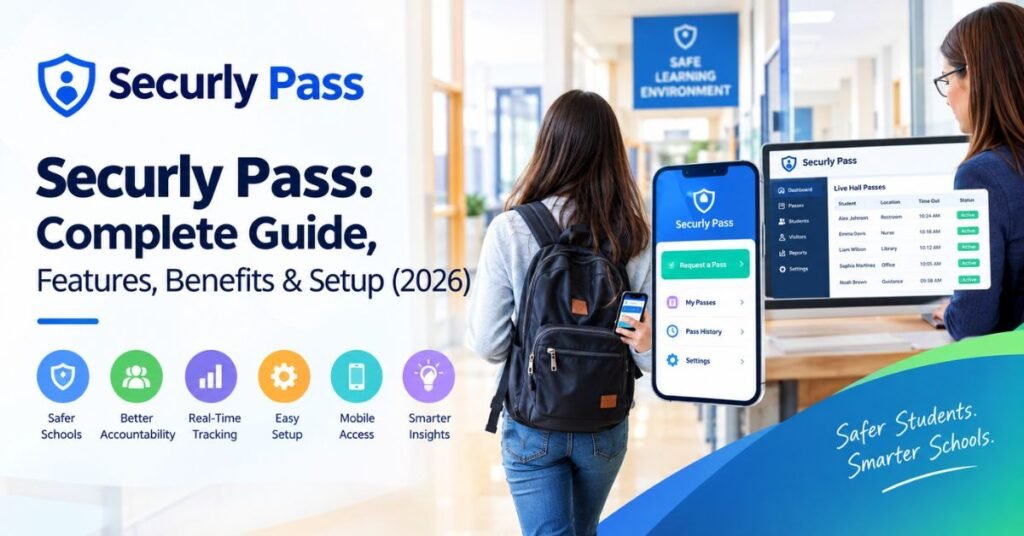
Ever watched a student stroll down the hall with a crumpled paper slip? It happens in schools everywhere. Securly Pass offers a smarter fix. This guide explains how the digital hall pass works, what it costs and how to launch it. Teachers, school leaders and parents will all find something useful here.
What Is Securly Pass?
Securly Pass is a digital hall pass tool built for K-12 schools. It works as an electronic hall pass and a full school hall pass system in one. Students send digital pass requests from a phone, tablet or laptop. Teachers approve them with a tap. The system then logs each destination and the time away. Some district pages still list the product under its old name, E-hallpass.
Read More: Tablesproworld Com: Content, Features, and Website Guide 2026
So, what is Securly Pass in plain terms? Think of it as a digital student pass that replaces the paper slip. It also serves as an online hall pass that staff can watch live. Securly calls itself “the first and most widely adopted digital hall pass system”. Its site also claims more than 5,000 schools and 2,500 districts use it. Those numbers come from the company. Ask a nearby district to confirm them.
How Does Securly Pass Work?
Good tools stay simple. That’s why the flow of Securly Pass takes just a few steps. A student asks to leave. A teacher says yes. The pass goes live on screen. Someone confirms the student arrived. This routine gives schools a clear method for managing classroom exits without a single paper slip.
Learning how to use Securly Pass takes little time. Most people pick it up in a day or two. The table below shows the full trip from request to return. Each step leaves a record. That record feeds the reports school leaders use later.
| Step | Who acts | What happens |
| 1 | Student | Sends a pass request from a device or kiosk |
| 2 | Teacher | Approves the request or issues a proxy pass |
| 3 | System | Starts a live timer and shows the pass on the dashboard |
| 4 | Staff | Confirms the student arrived |
| 5 | Student | Returns and closes the pass |
Requesting a Digital Hall Pass
Students start with digital pass requests. They open the app or website and pick a stop. Popular choices include the restroom, nurse and library. The request lands on the teacher’s screen at once. Nobody has to interrupt the lesson. The platform runs on any device that connects to the internet. Students without devices still have options. A shared Pass Kiosk in the gym, cafeteria or front office lets them request and check in.
Teacher Approval and Pass Management
Teacher approval takes one tap. That speed keeps the lesson moving. Effective hall pass management also covers students who forgot their devices. With Proxy Pass, a teacher can issue a pass for any student. Securly also supports appointments. Its two-way passes let either a teacher or a student start a request. A counselor can call a student in. A student can also ask for help first.
Real-Time Pass Tracking
Real-time tracking shows who is out of class right now. Staff see the destination and the minutes away. This makes student movement tracking easy during a busy day. Securly’s own pitch centers on knowing who is out of class and why. Nothing in that pitch suggests GPS. The student tracking system logs passes, not phone locations. Still, confirm the details with Securly before you promise parents anything.
Automatic Pass Expiration
The heading says automatic pass expiration. The real design works a bit differently. Securly’s timer counts up from 0:00 and stays active until an adult confirms arrival. Many rivals run a countdown that simply ends. That approach proves nothing about the trip. A count-up pass keeps going until someone confirms the student reached the destination or returned. Ask Securly which alerts fire when a pass runs long.
Key Features of Securly Pass
Features decide whether a school loves a tool or drops it by spring. Securly Pass features cover the daily basics well. They also add a few smart extras. Most schools start with the dashboard and pass limits. Later they add visitor and tardy tools once staff feel confident.
The table below gives a quick tour. It shows each feature and the people who lean on it most. Read the sections after it for the details. Each one explains how Securly Pass for teachers and Securly Pass for administrators differ in practice.
Read More: Robthecoins About: Key Details, Features, Content & Latest Updates
| Feature | What it does | Main users |
| Hall pass dashboard | Shows every active pass live | Teachers and administrators |
| Pass limits | Caps how often students leave | Administrators |
| Location-based controls | Reduces crowding and meet-ups | Administrators |
| Visitor management | Screens guests at check-in | Front office staff |
| SIS integration | Syncs student rosters | IT teams |
| Reporting tools | Turns passes into trends | District leaders |
Real-Time Hall Pass Dashboard
The hall pass dashboard is the heart of the system. The teacher dashboard shows active passes for one class. The administrator dashboard shows the whole campus. Staff can spot students who stay out of class for long stretches. That view also helps in emergencies. Staff can quickly account for students when trouble strikes. You get a live picture instead of a guess.
Pass Limits and Restrictions
Some students leave class again and again. Pass limits and pass restrictions help calm that habit. Securly says limits help thwart so-called frequent fliers and cut time out of class. There’s also a tool for keeping certain students apart. Contact control helps prevent unallowed meet-ups. Ask Securly which limit types your plan includes. Daily caps and per-student rules are common examples.
Location-Based Controls
Crowds cause trouble. Location-based controls help schools manage school hallway management with less stress. The idea is simple. Fewer students at one spot means fewer problems. Securly says pass limits help prevent bathroom and hallway meet-ups linked to vaping, bullying and vandalism. This supports student location management without any spying. Ask Securly how caps at each location work in your plan.
Visitor Management and Check-In
Safety starts at the front door. School visitor management turns a paper sign-in sheet into a smart log. The system checks a visitor’s identity, compares it against approved contacts and screens the national sex offender registry. It also serves as a student check-in system for early dismissals. The system confirms the student leaves with the right adult. Verify your tier first. Securly’s page says visitor check-in comes free with each license. A reseller page lists it under Pass Premium.
SIS Integration and Mobile Access
Nobody enjoys retyping rosters. SIS integration solves that problem. Securly Sync connects directly to your student information system. Your school information system then feeds accurate student information into the tool. Teachers also get a shortcut. The Securly Classroom link lets them see who is out and approve or cancel requests. A mobile app rounds things out. Chrome or Safari is all that users need.
Analytics and Reporting
Every pass leaves a data point. Together they form useful school data. Reporting tools turn those points into charts. This hall pass analytics view reveals busy periods and popular destinations. District insights compare pass volume across schools and track tardy trends. Leaders can also schedule reports to arrive automatically. Good school analytics replace hunches with facts. It’s one of the strongest school administrative tools in the package.
Benefits of Securly Pass for Schools

Small wins add up. One saved minute per pass sounds tiny. Multiply it across every class and every week. The total becomes real teaching time. That’s why the benefits of Securly Pass for schools reach far beyond convenience. Think of it as school safety software and a time saver rolled into one.
Benefits also touch the whole community. Safety, data and calmer halls all grow from one simple log. Good digital school management makes each of these gains easier to reach. The six sections below break down the biggest wins. Each one shows how schools use Securly Pass day to day.
Improved Student Safety and Accountability
Student safety improves when staff know who is out. That knowledge matters most in an emergency. The dashboard answers the question in seconds. Paper records can’t match that speed. Clear logs also boost student accountability. Every trip has a time and a place. That supports Securly Pass for student accountability and stronger student movement accountability across campus. Strong school security starts with simple facts like these.
Fewer Classroom Disruptions
Interruptions break a lesson’s flow. Classroom disruptions shrink when teachers stop writing slips. A digital request takes seconds. The teacher barely pauses. Better classroom management follows. Students spend fewer minutes waiting to ask. Teachers spend fewer minutes chasing missing kids. Over a full year, those saved moments become real instruction time. Your students get more lesson and less logistics.
Better Data for School Administrators
Leaders need facts. Paper slips offer none. Securly Pass builds a record with every trip. Administrators can study patterns by period, place and grade. A sudden jump in one student’s hallway time may signal a bigger issue. Staff can then reach out early. This use of school data turns a routine chore into a support tool. Policy choices get easier when numbers back them up.
Read More: Robthecoins Blockchain: Key Features, Benefits, Trends & Learning Guide
Time-Saving for Teachers and Staff
Teachers already juggle plenty. Teacher pass approval removes one more task. Office staff save time too. They don’t chase slips or guess who left. Roster syncing cuts manual entry. That means fewer typos and fewer headaches. Substitutes gain from the simple approval screen. Together these small savings give staff hours back over a semester. Many schools use that time for actual teaching and student support.
Reduced Hallway Traffic
Crowded corridors invite trouble. Hallway traffic drops when schools cap how many students can be out. Pass rules spread movement across the period. Big buildings with long halls feel the change most. Fewer wanderers mean fewer scuffles. Staff on hall duty also see a calmer scene. It’s the difference between a packed subway platform and a quiet one. Students notice the calm too.
Consistent Hall Pass Policies
Paper systems depend on each teacher’s mood. Some are strict. Others are relaxed. Students notice the gap right away. Shared rules fix that problem. School policies apply the same way in every room. That feels fairer to students. It also protects teachers from arguments. Leaders can adjust the rules in one place. Everyone then follows the same playbook. Consistency builds trust across the whole building.
Securly Pass vs. Traditional Hall Passes
Paper had a good run. Yet slips get lost or forged. Nobody can analyze a pile of scrap paper either. Traditional paper hall passes also depend on memory. A teacher must remember when the student left. That’s a lot to ask on a busy day. The paper vs digital hall passes debate now leans one way for many schools.
The Securly Pass vs paper hall pass contrast grows sharper in emergencies. Paper records sit scattered across classrooms. A dashboard shows everyone at once. The table below lines up the main differences. Use it when you make the case to your school board or principal.
| Area | Traditional paper pass | Securly Pass |
| Tracking | Handwritten times | Automatic live log |
| Accountability | Slips get lost or forged | Every pass recorded |
| Speed | Writing interrupts class | Approval takes a tap |
| Reporting | No usable data | Trend reports |
| Emergencies | Records scattered | One dashboard |
| Consistency | Varies by teacher | Same rules school-wide |
Pros and Cons of Securly Pass
No tool suits every campus. An honest scorecard helps you decide. Larger schools with busy halls tend to gain the most. Smaller schools can start with one grade level. That approach lowers risk. It also builds staff confidence before a full launch. Weigh the good and the bad before you sign anything.
Schools often ask which factors matter most. Budget and Wi-Fi top the list. Staff training comes next. The sections below cover both sides. Use them to build your own checklist.
Pros of Using Securly Pass
The strengths are clear. You get a live view of student movement and fewer interruptions. Pass limits curb constant exits. Reports guide better choices. Kiosks and proxy passes cover students without devices. Visitor and tardy tools live on the same platform. Securly says users can consolidate visitor, tardy and classroom tools on one platform. One login for many jobs beats juggling apps. That’s a win for busy staff.
Potential Drawbacks of Securly Pass
Every tool has limits. Securly Pass needs steady Wi-Fi and working devices. Students need time to adjust. New and substitute teachers need training. Budget also matters. One CDW listing shows a one-year license at $4.99 per user in the 10,000 to 39,999 license tier. Treat that as a rough guide. Prices shift with school size and package. Ask for a written quote before you commit.
Is Securly Pass Safe for Student Privacy?
Privacy questions deserve straight answers. Parents ask them first. A student tracking system stores pass requests, destinations and times. The key issues are who sees the records and how long they stay. Privacy protection rests on clear rules. Ask your district about Securly Pass privacy and security in writing. Vague replies should raise a flag.
U.S. schools follow laws like and. Those laws shape how districts handle student information. Readers outside the United States should check local rules such as GDPR. Some parents also worry about student privacy and tracking of restroom trips. That concern is fair. Schools should explain their data rules openly. The table below lists useful questions.
| Question to ask | Why it matters |
| Who can view pass records? | Limits access to staff with a real need |
| How long does the district keep data? | Shorter storage lowers risk |
| Can parents see pass activity? | Sets clear family expectations |
| Where is the data stored? | Matters for local data laws |
How to Get Started With Securly Pass
New tech can feel daunting. Yet the path is predictable. Start by contacting Securly or an authorized reseller. Share your needs and size. Then plan Securly Pass setup with your IT team. Good planning makes implementing a digital hall pass much smoother. Learning how to set up Securly Pass takes weeks, not months.
Many schools pilot one wing first. That builds trust with staff. It also exposes small problems early. After a few weeks, review the reports. Then adjust the rules. Finally, roll the tool out school-wide. The table below shows a simple plan. Follow it in order for the best results.
| Stage | Action | Goal |
| Plan | Talk with Securly or a reseller | Match features to needs |
| Connect | Sync the student information system | Keep rosters accurate |
| Train | Show teachers and staff the basics | Build confidence |
| Introduce | Walk students through the app | Cut confusion |
| Adjust | Tune limits by grade level | Fit real habits |
| Review | Study reports after a few weeks | Improve settings |
Tips for a Successful Securly Pass Implementation

Communication comes first. Explain the reason for the change to students and parents. Say how the digital hall pass helps safety and learning. Give teachers a one-page cheat sheet in week one. Short guides beat long manuals. Keep the message positive. A calm rollout wins more support than a strict one.
Process matters just as much. Begin with basic pass types. Add more detailed limits later. Ask staff for feedback after a month. Then fix what slows them down. Keep a paper backup for rare outages. Nobody wants a stalled hallway during a Wi-Fi glitch. Small steps like these build trust in the new system.
Who Can Benefit From Securly Pass?
Big hallways create big headaches. Middle and high schools usually see the biggest payoff. Students move often between classes. Elementary schools can benefit too. Younger kids need simpler rules and shorter limits. District leaders also gain. They want safety data across many campuses. Electronic hall pass software for schools gives them one shared view.
Schools with crowded corridors, chronic tardiness or lost slips see results fastest. Strong Wi-Fi and enough staff devices help too. The sample scenario below is imaginary. It shows how a school might use the tool. Real results will vary. Test the tool in your own building before you judge it.
| Sample scenario (hypothetical) | Details |
| School | A middle school with about 900 students |
| Problem | Crowded restrooms after lunch and lost paper slips |
| Action | Pass limits, location caps and a live dashboard |
| Possible result | Calmer halls and clearer records for staff |
Common Securly Pass Setup Challenges
Bumps happen in every rollout. Some teachers cling to old habits. A few students will test the new limits. Older buildings may have weak Wi-Fi in certain halls. Front office staff need time with the visitor tools. Substitutes need a quick approval guide. Knowing these snags ahead of time helps you plan. Most fade within the first month.
Each problem has a simple fix. Patience and training solve most of them. The table below pairs common snags with practical answers. Share it with your rollout team. A little preparation prevents plenty of frustration.
| Challenge | Simple fix |
| Teacher resistance | Offer short training and share early wins |
| Weak Wi-Fi in halls | Test coverage before launch |
| Students testing limits | Explain the rules and enforce them evenly |
| Substitute confusion | Leave a one-page approval guide |
| Front office learning curve | Practice visitor check-in ahead of time |
Frequently Asked Questions
Does Securly Pass track students outside school?
Hall passes matter during the school day. Securly’s descriptions focus on movement around campus. They don’t describe off-campus tracking. Still, ask your district for its exact data policy. Written answers beat verbal promises. A good school will share its rules openly.
Can parents see their child’s hall pass activity?
That depends on your district’s settings. Some schools may share limited data. Others keep records for staff only. Ask your school what it allows. Clear policies avoid confusion later. Parents deserve a plain answer.
Do students need their own device?
No. Students can still take part without a personal device. Proxy Pass lets teachers issue passes for them, and a kiosk works in shared spaces. Every pass still shows on the dashboard. Nobody falls through the cracks.
Is Securly Pass only a hall pass tool?
No. Hall passes are the starting point. The platform also covers visitor and tardy management. It links to classroom tools as well. That makes it a wider set of school administration software than a simple pass app.
How much does Securly Pass cost?
Prices vary. One reseller listing shows $4.99 per user for a one-year license in a large volume tier. Smaller schools may pay different rates. Request a quote from Securly or a reseller. Ask what each tier includes.
Is Securly Pass hard for teachers to learn?
Most teachers pick up the basics fast. The core routine is request, approve and monitor. Short training helps new staff. A one-page guide helps substitutes. Give it a few weeks. Comfort grows quickly.
Conclusion
A bathroom break used to mean a scrap of paper and a leap of faith. Securly Pass swaps that for a fast and trackable routine. It brings student safety, cleaner data and calmer halls. The count-up timer and contact control help it stand out. It also fits the bigger shift toward digital school management.
Still, no platform fixes everything alone. Check pricing tiers, privacy protection rules and Wi-Fi coverage before you sign. Then run a small pilot. Let your teachers judge the results. If it works, roll it out with care. Your hallways may never look the same.